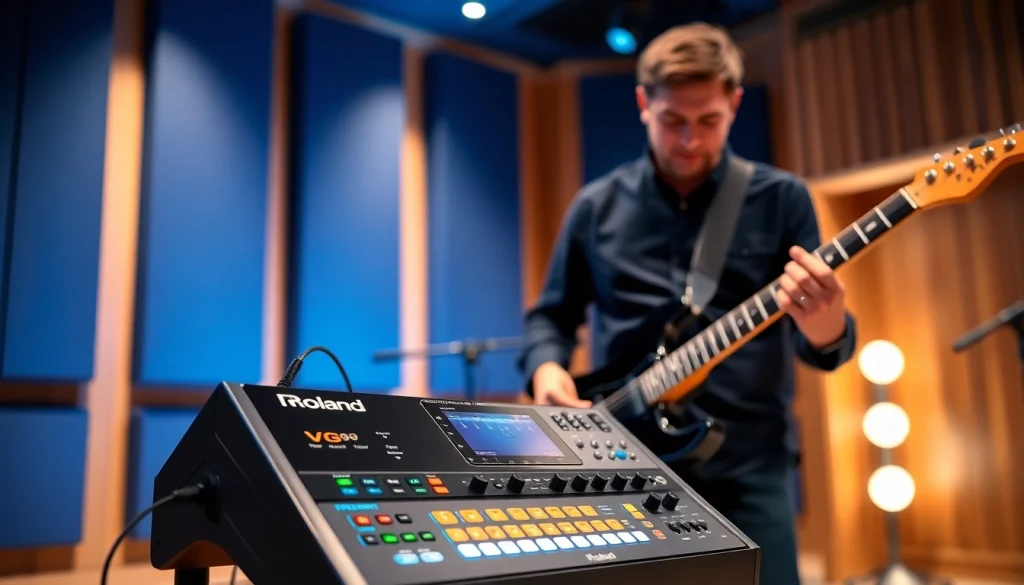
Introduction to VG99 and Its Features
The VG99, a premier offering from Roland, is a sophisticated guitar modeling system that has transformed how musicians approach electric guitar sounds. This innovative unit combines advanced technology with user-friendly features, making it an essential tool for both live performances and studio recordings. By utilizing new models, dual processing capabilities, and seamless integration with MIDI and USB functionalities, the VG99 is designed to offer unparalleled sound versatility and creative freedom.
Understanding the VG99 Guitar Modeling System
The VG99 is not just a traditional effects processor; it is a comprehensive system designed for guitarists who demand flexibility and high-quality sound. At its core, the VG99 employs advanced guitar modeling technologies, allowing users to combine various guitar tones, amplifiers, and effects into a single cohesive sound profile. This dual-engine system enables musicians to engage in an unprecedented level of creativity, allowing them to switch between different sounds effortlessly.
One of the standout features of the VG99 is its ability to model various guitar types, including acoustic and electric instruments, enabling players to explore diverse musical genres without needing multiple instruments. By replicating the tonal characteristics of various guitars and amps, the VG99 grants users the freedom to experiment with distinctive timbres and textures in their playing.
Key Features of the VG99
- Dual Engine Architecture: The VG99 features two independent sound engines that work in harmony to create complex layered sounds. This allows for innovative sound design, showcasing multiple guitar models and effects simultaneously.
- MIDI Compatibility: This system supports MIDI, allowing users to control external devices, sequence, and record more effectively. With its MIDI capabilities, players can expand their soundscapes and synchronize their playing with other devices.
- Record and Monitor with USB: The VG99 provides USB connectivity, which enables both audio and MIDI data transfer. This feature streamlines the recording process and makes it easy to integrate the VG99 into a digital audio workstation (DAW).
- Extensive Effects Range: From modulation effects to reverb, the VG99 includes a broad spectrum of onboard effects, helping musicians shape their sound without needing additional pedals.
- User-Friendly Interface: The VG99 features a straightforward interface that allows quick access to sounds, configurations, and settings. This makes it easier for players to adjust their sounds on the fly during performances.
Overview of Guitar Effects Integration
The VG99’s effects integration is a hallmark feature that elevates it above standard modeling units. With a vast library of effects—including distortion, chorus, and delay—guitarists can tailor their sounds uniquely. Users can allocate effects to individual paths within the dual engine architecture, allowing a combination of clean, distorted, or completely unique tones.
Moreover, the VG99’s ability to integrate external effects processors means users can blend traditional pedals with the advanced modeling capabilities of the unit. This capacity to customize sound through both onboard and external effects provides deeper sonic exploration opportunities, catering to the specific needs of each performance or recording.
Setting Up Your VG99: A Step-by-Step Guide
Setting up the VG99 can initially seem complex due to its myriad features. However, this guide aims to simplify the process so that you can start making music as soon as possible.
Connecting the VG99 to Your Gear
1. Power Supply: Begin by connecting the VG99 to the appropriate power source. Ensure you are using the correct power adapter to avoid damaging the unit.
2. Input Connection: Connect your guitar to the VG99’s input jack located on the front panel. This will allow the unit to process the signal from your guitar.
3. Output Connections: For sound output, connect your VG99 to amplifiers, PA systems, or recording interfaces via the main output jacks. You can also utilize the USB output for direct connection to your computer.
4. Foot Controller Compatibility: If you wish to use a foot controller for hands-free operation, make sure to connect a compatible footswitch to the VG99’s designated input for seamless control during performances.
Initial Setup and Configuration
Once your VG99 is connected, you will need to configure the settings to align with your musical preferences. Here’s what to do:
1. Power On: Turn on the VG99 and allow it to boot up. You should see the opening screen and navigate through the interface.
2. Input Level Adjustment: Before diving into sounds, adjust the input level to ensure that the signal from your guitar is optimally received without clipping.
3. Sound Selection: Start by exploring the preset sounds. The VG99 comes loaded with a range of factory presets that can serve as foundational sounds from which to build.
4. Save Custom Presets: As you tweak settings, remember to save your custom presets. This feature allows quick access to your preferred tones during live performances.
Exploring MIDI and USB Functionality
The VG99’s MIDI and USB functionalities significantly enhance its versatility. Here’s how you can explore these features:
1. MIDI Setup: Connect a MIDI cable from your VG99 to your MIDI controller or other MIDI-compliant devices. This allows you to send and receive MIDI signals across multiple instruments.
2. USB Integration: For recording purposes, connect the VG99 to your computer via USB. Make sure to install any necessary drivers or software updates to ensure compatibility.
3. Virtual Instruments: Use the MIDI functionalities to control virtual instruments within your DAW, enriching your sound palette and providing even broader creative possibilities.
Best Practices for Using the VG99
Utilizing the VG99 effectively requires an understanding of sound design and best practices to tap into its full potential. Here are some recommendations.
Recommended Settings for Different Genres
Different genres often call for particular tonal qualities. Here are some settings tailored for various music styles:
- Rock: Utilize high-gain amp models along with moderate to high distortion to achieve powerful rhythms. Add a touch of reverb and delay for a full sound.
- Jazz: Opt for clean, warm amp models with modulation effects like chorus and a hint of reverb. This gives your sound a lush, smooth texture.
- Metal: Incorporate heavy gain settings and powerful distortion. Adjust EQ to cut through mixes with biting highs and pronounced mids.
- Folk: Aim for bright acoustic models with dynamics and depth. Echo and delay can add atmospheric qualities, enhancing the storytelling aspect of folk music.
Tweaking Sounds to Fit Your Style
To make the VG99 sound truly yours, customization is key. Here are some expert tips:
- Utilize the Tone Control: Adjust your guitar’s tone knobs in conjunction with the VG99 settings. Small changes can lead to significant variations in sound.
- EQ Settings: Experiment with the EQ settings within the VG99 to carve out the frequencies that best suit your style. Cutting unwanted frequencies can clear up the overall tone.
- Layering Sounds: Use the dual engine to layer different sounds. For example, blend a clean amp model with a distorted one to create a unique sound canvas.
Utilizing Effects for Live Performance
The VG99’s extensive arsenal of effects can significantly enhance live performances. Here’s how to effectively use these during shows:
- Dynamic Control: Utilize effects like compression to control dynamic range during performances, ensuring consistent sound regardless of playing intensity.
- Footswitch Setup: Map your most-used effects to footswitches for quick access during live performance. This allows for seamless transitions between sounds.
- Reverb and Delay: Apply these effects strategically to create space in your sound, helping to fill out the mix and providing an engaging atmosphere for audiences.
Troubleshooting Common VG99 Issues
Like any technology, the VG99 may occasionally present challenges. Here are strategies for troubleshooting common issues.
Identifying Hardware Problems
If you encounter issues such as sound inconsistencies or unresponsive controls, consider the following:
- Check Connections: Ensure all cables and connections are secure. Loose connections can lead to audio dropouts or intermittent signal.
- Inspect the Power Supply: If the unit fails to power on, investigate the power supply. Using a different power adapter can help determine if the issue lies with the adapter itself.
Software Updates and Maintenance
Keeping your VG99 updated is crucial for optimal performance:
- Check for Updates: Regularly visit Roland’s support site to find updates for your VG99 system. Keeping the device updated ensures it runs smoothly and can fix bugs.
- Backup Presets: Regularly back up your custom presets to avoid losing them during updates or maintenance procedures.
Community Support and Resources
One of the most valuable resources for VG99 users is the community around it. Engage with forums and social media groups where users share tips, tricks, and solutions. The VGuitar Forums provides an excellent platform for discussions on troubleshooting and innovative uses of the VG99.
Advanced Techniques with VG99
Once you are comfortable with the basic functionalities of the VG99, you can explore advanced techniques that leverage its powerful capabilities.
Integrating the VG99 with Other Effect Processors
The VG99 can serve as the centerpiece of a more extensive effects rig. Here’s how to integrate it effectively:
- Insert Effects Loops: Utilize the effect loops on your amplifiers or additional pedals. This allows for seamless blending of the VG99’s modeling capabilities with traditional effects.
- Signal Routing: Experiment with different signal paths to find the ideal configuration that provides the sound you’re aiming for. The order of effects can dramatically impact your tone.
Creating Unique Sound Profiles
The true power of the VG99 lies in its ability to enable unique sound creation:
- Synth Sounds: Explore the synth modeling capabilities to create new soundscapes. The VG99 provides a platform to design synth tones that can be layered with traditional guitar sounds.
- Sound Manipulation: Utilize pitch-shifting and harmonization features to produce unique sounds, expanding the tonal range of what you can achieve with standard guitar playing.
Future of Guitar Modeling and the VG99’s Role
As technology continues to evolve, the VG99 remains a relevant and indispensable tool in the guitar modeling space. Looking ahead, advancements such as integrated artificial intelligence for sound shaping and even deeper integrations with software-based platforms will likely define the future of guitar effects and modeling. The VG99 is poised to adapt and innovate alongside these advancements, ensuring its community continues to evolve alongside it.